Rapid Friday Sale is Live!
Get exclusive discounts on all products
Nov 26, 2025

4 min read

Think of a React Native Expo template as a professional chef's prep kit. Instead of chopping every vegetable, mixing every sauce, and setting up your entire cooking station from scratch, you get a perfectly organized, ready-to-go setup. This lets you skip right to the fun part: creating the actual dish.
For developers, that "prep work" is the tedious process of configuring navigation, setting up TypeScript, and wrestling with styling. Templates handle all that for you, giving you an organized, production-ready starting point so you can jump straight into coding the features that make your app unique.
Every developer has felt that initial friction when starting a new project. You can lose hours, sometimes even days, fighting with boilerplate code, setting up navigation stacks, wiring up state management, and making sure your styling plays nice across both iOS and Android. This foundational work is crucial, but it's also repetitive and really slows down the creative process.
React Native Expo templates are designed to completely cut out this preliminary grind. They give you a structured, opinionated, and fully functional codebase that acts as a solid launchpad for your app. This isn't just about saving a bit of time; it's about fundamentally shifting your workflow from being setup-focused to feature-focused.
Imagine you’re building a house. Instead of having to clear the land, pour the concrete foundation, and frame all the walls yourself, you start with a solid, professionally built structure already in place. You get to immediately start designing the rooms, picking out the finishes, and adding the personal touches that turn a house into a home. That's exactly the advantage a template gives you in app development.
This shift has become incredibly popular. Industry data shows that over 60% of new React Native projects started in 2025 used Expo templates or boilerplates. That's a huge jump from just 35% back in 2020. This trend isn't a fluke; it points to a growing demand for efficiency and speed in how we build apps. If you're curious, you can see the latest React Native trends and see for yourself why more developers are jumping on board.
A great template doesn’t just give you code; it gives you momentum. It encapsulates best practices and solves common problems before you even encounter them, allowing you to focus on innovation instead of implementation.
To really get it, let's look at the two starting points. A blank project is a clean slate, full of potential, but it’s also full of time-sucking questions. Which navigation library are you going to use? How are you going to handle theming and dark mode? What's the best way to structure your files so the project doesn't become a mess in six months?
An Expo template from a trusted source like theappmarket answers these questions for you right out of the box, providing a solution that's already been tested and integrated.
To really illustrate the difference, here's a quick comparison:
| Feature | Starting From Scratch | Using an Expo Template |
|---|---|---|
| Initial Setup | Days of configuring tools, libraries, and boilerplate. | Minutes to install and run. You're ready to code almost instantly. |
| Navigation | Research, install, and configure a library like React Navigation. | Comes with pre-built stack, tab, and drawer navigators. |
| Tooling | Manually set up TypeScript, ESLint, Prettier, and styling. | TypeScript, NativeWind, and state management are ready to go. |
| UI Components | Build every button, card, and modal from the ground up. | A library of pre-built, accessible UI components is included. |
| Best Practices | You have to establish your own file structure and conventions. | Built on a proven architecture that promotes scalability. |
Using a template lets you bypass all that non-differentiating heavy lifting. Instead, you can invest your time and energy where it truly delivers value: crafting a polished and amazing user experience.
To really get the most out of a React Native Expo template, you first need to understand its DNA. Don't think of a high-quality template as some mysterious black box. Instead, picture it as a well-organized toolkit, where every piece has a purpose. When you peek inside, you’ll find a logical structure built for speed, scalability, and clarity, letting you jump in and customize the code with confidence from day one.
At its heart, a template is simply a pre-configured project. But instead of starting with an empty folder and wondering where to begin, you get a thoughtful arrangement of files and folders ready to go. This structure alone is a massive time-saver, helping you sidestep that classic "how should I organize my app?" paralysis that trips up so many new projects.
This diagram breaks down the three pillars of a great template—speed, a solid foundation, and a beautiful UI—and shows how they all work together.
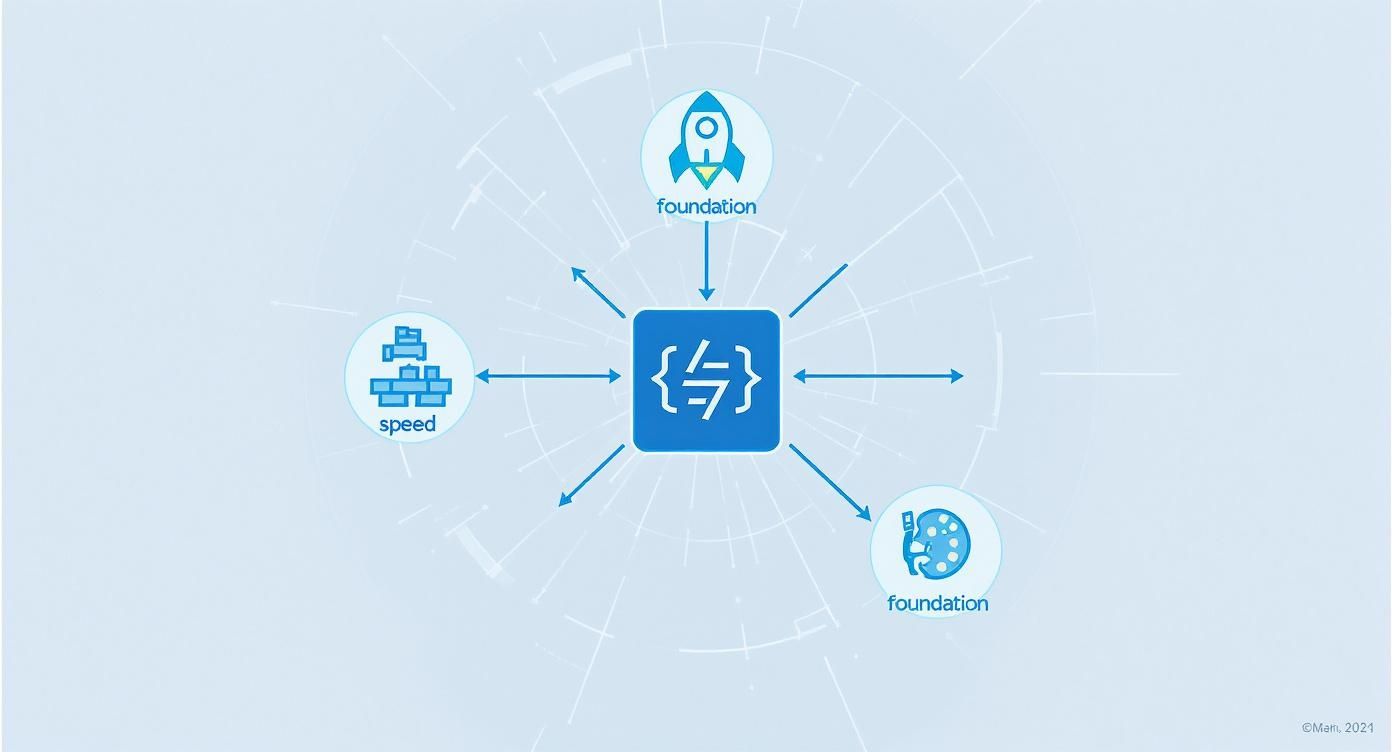
As you can see, these pieces are all connected. A solid foundation makes for faster development, which in turn helps you build a more polished user interface right from the start.
Crack open a premium template from a place like theappmarket, and the first thing you'll notice is a clean, intuitive layout. This isn't just for looks; it's a blueprint for a maintainable app. A typical structure looks something like this:
This clear separation of concerns makes it a breeze to find what you're looking for, add new features without making a mess, and get new team members up to speed quickly.
Beyond the file structure, the real magic is in the pre-integrated tech stack. A modern Expo template isn't just a collection of files; it's a carefully assembled bundle of powerful tools designed to work together seamlessly, giving you a robust development environment straight out of the box.
First up is Expo's managed workflow. This handles all the messy, complicated native iOS and Android build configurations for you, so you can focus purely on your JavaScript or TypeScript code. It’s like having an expert DevOps engineer on your team, taking care of all the tedious platform-specific grunt work.
Next, you have TypeScript, which adds a crucial layer of type safety. By catching potential errors as you code instead of when the app is running, TypeScript helps you squash a huge number of common bugs before they ever become a problem. This makes your app more reliable and way easier to refactor as it grows.
A well-integrated tech stack is the template's secret sauce. It’s not just about throwing in a bunch of libraries; it’s about making sure they play nicely together, saving you countless hours of configuration headaches and debugging nightmares.
Finally, for styling, you'll almost always find a tool like NativeWind. By bringing the utility-first approach of Tailwind CSS to React Native, NativeWind lets you build complex, responsive user interfaces right inside your component markup. This seriously speeds up UI development and keeps your app looking consistent.
Think about a pre-built authentication flow. A good template doesn’t just give you the UI screens. It connects them with a navigation stack, manages user state with a library like Zustand or Redux, and uses TypeScript to ensure user data is handled safely. This end-to-end integration is what really puts your development on the fast track, turning weeks of setup into a task that's nearly 90% complete the moment you begin.
Picking a React Native Expo template isn’t just about grabbing the one with the flashiest demo. Get it right, and you’ll accelerate your project like crazy. Get it wrong, and you’re stuck with technical debt before you’ve even written a single line of your own code.
Think of it like choosing the foundation for a house. A weak or poorly designed one will cause endless headaches down the road, no matter how beautiful the walls you build on top are. You have to look beyond the surface, because a template is more than just a collection of UI screens; it's an entire set of architectural decisions, coding standards, and dependencies. You're basically adopting someone else's workflow, so you better make sure it’s a good one.
Before you even start browsing marketplaces like theappmarket, take a step back and figure out what you actually need. A clear list of requirements acts as a filter, saving you from being distracted by cool features you’ll never use.
Start by asking a few simple questions:
Answering these first gives you a solid checklist to measure potential react native expo templates against. This ensures your choice is driven by strategy, not just a slick design.
Once you’ve got a shortlist, it’s time to pop the hood and look at the code. A template's real value is tied directly to the quality of its source code and the clarity of its documentation. A clean, well-structured codebase is just easier to understand, customize, and maintain.
Look for signs of professional work. Does the code follow modern best practices, like using TypeScript for type safety? Is the file structure logical and scalable, or just a confusing mess? Sloppy code is a huge red flag—it means you'll spend more time fixing the template than building your actual app.
A polished UI can hide a multitude of sins. Always prioritize a template with clean, maintainable code and thorough documentation over one that just looks good. The former is a foundation; the latter is just paint.
The documentation is just as critical. Can you easily find instructions for setup and customization? Good docs save you hours of guesswork. If the author couldn't be bothered to explain their own work, they probably didn't put much care into writing the code, either.
A template isn’t a one-and-done purchase; it’s an ongoing relationship with the author’s work. Tech moves fast, and libraries get updated constantly. You need a template that is actively maintained to avoid security holes and compatibility nightmares with future React Native or Expo SDK updates.
Check the template’s update history. When was it last touched? A template that hasn't been updated in over a year is basically abandoned. You'll be on your own when things inevitably break.
Finally, see what the community is saying. Look for reviews, testimonials, or discussions online. Honest feedback from other developers who have actually used the template is priceless. Responsive author support and positive chatter are strong signs of a reliable product that will actually help you get your project over the finish line.
To make this process easier, we've put together a checklist. Use this to systematically compare your top choices and make sure you're not missing any critical details. It’s a simple way to stay objective and focus on what truly matters for your project's success.
| Evaluation Criteria | What to Look For | Red Flags |
|---|---|---|
| Code Quality | Clean, organized file structure. Consistent formatting (e.g., uses Prettier). TypeScript integration. Follows modern React/React Native patterns. | Messy files, inconsistent naming, no type safety, outdated dependencies, "spaghetti code." |
| Documentation | Clear setup instructions. Component usage examples. Customization guides. A well-documented API or props list. | Missing or incomplete docs. Vague instructions. No examples. Multiple typos or grammatical errors. |
| Maintenance & Updates | Recent updates (within the last 3-6 months). A public changelog or update history. Compatibility with the latest Expo SDK. | No updates in over a year. Many open, unanswered issues on GitHub. Uses deprecated libraries. |
| Author & Support | Active and responsive author. A dedicated support channel (Discord, email). Positive reviews from other developers. | Author is unresponsive. No clear way to get help. Overwhelmingly negative community feedback. |
| Feature Alignment | Includes at least 80% of your required MVP features. The architecture (e.g., state management) matches your team's skills. | Lacks core functionality you need. Overloaded with features you'll never use, adding bloat. |
| Customizability | Easy to change theme (colors, fonts). Components are built to be extended. Code is not overly "locked in" to one specific design. | Hard-coded styles and values. Components are tightly coupled and hard to modify without breaking things. |
After running your top contenders through this checklist, one or two should clearly stand out. The goal isn't to find a "perfect" template, but the one that gives you the strongest possible head start and aligns best with your team and your vision.
You’ve done the hard part and picked out the perfect React Native Expo template. Now for the fun part: making it yours. Think of it like moving into a new house. The foundation and walls are solid, but it’s the paint, furniture, and personal touches that turn it into a home.
Customization isn't about tearing everything down and starting over. It’s about making smart, targeted tweaks that bring your brand and unique features to life. Let's walk through it, starting with the visual identity and working our way to live data.
First things first, you need to stamp your brand’s look and feel all over the template. This means swapping out default colors, fonts, and spacing. High-quality templates, like the ones from theappmarket, make this a breeze by centralizing all these settings in one place.
If your template uses NativeWind, you'll spend most of your time in the tailwind.config.js file. This is where your entire design system lives.
Here’s a quick game plan:
Making these changes in a single configuration file is a massive time-saver. The new styles cascade through the entire app, so you don't have to hunt down and edit every single component by hand.
Let’s be real—no template will have every single screen you need right out of the box. The next step is to start building your own custom pieces and plugging them into the existing structure. This is where a well-built template really proves its worth by giving you a clear blueprint for adding new features without making a mess.
Imagine you need to add a "User Analytics" screen. The process usually looks something like this:
/app/screens directory and create a new file, maybe AnalyticsScreen.tsx. This is your canvas./app/components directory./app/navigation.A template's true power is revealed when you extend it. A good one makes adding new features feel like snapping a new Lego brick onto an existing build—it just fits.
This modular approach keeps your code clean and predictable. You get to lean on the template's existing architecture (like theming and navigation) while you focus on building out the unique functionality your app needs.
Okay, it's time to bring your app to life by swapping out all that static placeholder data with real, dynamic content from your backend. This is the moment it all starts to feel real. Let's use a blog app template as an example. Right now, it shows a few hard-coded posts. We want to fetch real posts from a live API.
First, you'll want a dedicated spot to handle your API calls. A good practice is to create a service file, something like /app/services/api.ts, to keep all your network requests organized.
// /app/services/api.ts import axios from 'axios';
const API_URL = 'https://your-api.com/v1';
export const fetchBlogPosts = async () => {
try {
const response = await axios.get(${API_URL}/posts);
return response.data;
} catch (error) {
console.error("Failed to fetch posts:", error);
return []; // Return an empty array on error
}
};
Next, head over to the screen that displays the blog posts. Instead of pulling from a static array, you’ll use React’s useState and useEffect hooks to fetch the data as soon as the screen loads.
// /app/screens/BlogScreen.tsx import React, { useState, useEffect } from 'react'; import { View, Text, FlatList } from 'react-native'; import { fetchBlogPosts } from '../services/api';
const BlogScreen = () => { const [posts, setPosts] = useState([]); const [loading, setLoading] = useState(true);
useEffect(() => { const loadPosts = async () => { const data = await fetchBlogPosts(); setPosts(data); setLoading(false); }; loadPosts(); }, []);
if (loading) { return <Text>Loading posts...</Text>; }
return ( <FlatList data={posts} keyExtractor={(item) => item.id.toString()} renderItem={({ item }) => ( <View> <Text>{item.title}</Text> <Text>{item.excerpt}</Text> </View> )} /> ); };
export default BlogScreen;
And that’s it! With these few changes, you've connected your frontend to a live backend. This same pattern—create a service, call it from a screen, manage the state—is repeatable for everything else, from user authentication to fetching product listings. You're officially in business.
Picking a React Native Expo template isn't just a one-off decision; it's more like starting a long-term technical relationship. Once you integrate that code, it becomes a core part of your app's DNA. That means you have to think about two critical, and often overlooked, factors right from the start: licensing and ongoing maintenance.
Get this wrong, and you could be walking into a legal minefield or, just as bad, get stuck with an app that’s impossible to update, drowning in technical debt. Understanding your rights and responsibilities is every bit as important as the quality of the code itself.
Think of a software license as the set of rules for playing with someone else's code. It's not just boring legal text; it's a practical guide that sets the boundaries for your project. Bending or breaking these rules can put your entire business on the line.
While you'll find plenty of variations, most template licenses fall into a few common buckets.
A good way to think about a license is like the deed to a property. A permissive license is like being given a plot of land to build whatever you want. A commercial license is like getting a pre-built house—you can live in it and redecorate, but you can't just copy it and build another one next door for free.
Your template doesn't live in a bubble. The tech world moves incredibly fast—Expo pushes out new SDKs, React Native drops major updates, and libraries are constantly patching security holes. In fact, React Native has been shipping significant updates multiple times a year, with versions like 0.77 and 0.78 introducing both killer features and breaking changes.
This creates a real dilemma: how do you pull in the latest updates from the template's author without blowing away all of your own custom code? Simply ignoring updates is a non-starter; you'll leave your app vulnerable and stuck on old, incompatible tech.
You need a disciplined game plan. The best approach is to treat the original template as an "upstream" remote in your Git repository. When the author releases a new version, you can fetch their changes and carefully merge them into your customized codebase. This definitely requires some comfort with Git, but it's the only way to sanely manage an app for the long haul.
This method lets you pull in critical security patches and new features from the author while you handle any merge conflicts by hand. It ensures your app keeps getting better without forcing you to rebuild your custom work from scratch every time an update lands. This kind of proactive maintenance is what keeps your app secure, stable, and built on a modern foundation.
You’re so close to the finish line. After picking the perfect React Native Expo template and tweaking it to match your vision, the last hurdle is ensuring a smooth, successful launch. Think of this pre-flight checklist as your safety net—it’s here to catch those common little snags before they ever reach your users.
This process is all about moving from development to deployment with total confidence. We’ll walk through everything from tidying up your codebase to finally submitting your masterpiece to the app stores.
First things first: let's get rid of anything that isn't part of your final app. Templates come packed with demo screens, placeholder assets, and example code to help you get started, but leaving that stuff in a production build just adds unnecessary bloat.
It’s time to go through your project with a fine-tooth comb and remove:
/app/screens directory that your app doesn’t actually use? Delete them./assets folder. This will immediately shrink your app's bundle size.This cleanup doesn’t just make your app lighter; it also makes future maintenance a whole lot easier by ensuring the codebase only contains what's absolutely essential.
A snappy, responsive app is a non-negotiable for keeping users happy. Performance issues can easily creep in during development, so now is the moment to hunt them down and squash them for good. Two of the biggest culprits are re-renders and image optimization.
A smooth user experience isn't a feature; it's a fundamental requirement. Even a few seconds of lag can be the difference between a five-star review and an uninstalled app.
Use tools like the React Native profiler to find components that re-render unnecessarily—these are silent killers of battery life and make the UI feel sluggish. Also, double-check that all your image assets are properly compressed and sized for mobile displays. Huge, unoptimized images are one of the most common reasons for slow load times.
Before you ship your app to the world, you have to lock it down. This means getting your environment variables configured correctly. Never, ever hard-code sensitive info like API keys or secrets directly into your source code.
Instead, use a production-ready setup with tools like Expo's secrets management or a .env file that’s properly excluded from your version control via .gitignore. This simple practice prevents your sensitive credentials from being exposed if your source code ever gets compromised. And while you're at it, double-check that your production build points to your live backend API, not a development or staging server.
With your app cleaned, optimized, and secured, it's go-time. Expo Application Services (EAS) is your best friend here, giving you a streamlined workflow for building and submitting your app to both the Apple App Store and Google Play Store.
eas.json: Set up your build profiles for development, preview, and production.eas build --platform all command to create your production-ready .apk (Android) and .ipa (iOS) files.eas submit to automatically upload your builds to App Store Connect and Google Play Console. It'll walk you right through the final submission steps.Running through this checklist ensures you’ve covered all your bases, turning your template-based project into a polished, professional app that's ready to launch.
Diving into React Native Expo templates is exciting, but it's natural to have a few questions pop up. Let's clear up some of the most common ones so you can move forward with confidence.
That’s a great question, and it gets to the heart of what these templates are all about. Think of a template as a beautifully constructed house frame—it’s not the finished home, but it gives you a solid, well-architected foundation to build upon.
If a feature you need is missing, that’s your cue to start building! A high-quality template makes this easy by giving you a clean, organized structure. For instance, if you need a chat function:
react-native-gifted-chat.The template handles the boilerplate, so you can jump straight into creating the unique features that make your app special.
You bet. One of the biggest perks of using a React Native Expo template from a place like theappmarket is that you're working within the standard ecosystem. There are no weird restrictions. You can install and use any compatible library from npm, just like you would if you started a project from scratch.
It's best to think of a template as a well-organized starting point, not a locked-down system. It gives you a massive head start but never limits your freedom to bring in new tools as your app grows.
Ah, the joys of keeping up with Apple and Google! Their requirements and operating systems are always changing. This is where a well-maintained template truly shines.
Reputable template authors stay on top of these updates and release new versions to ensure compatibility. They do the hard work of digging through documentation and tweaking native code so you don't have to. This saves you a ton of time and helps you avoid those dreaded submission rejections.
Ready to stop wrestling with boilerplate and start shipping faster? Check out the hand-picked collection of production-ready templates and UI kits at theappmarket. Find the perfect launchpad for your next big idea at https://theappmarket.io.

Dec 08, 2025
4 min read
android login with facebook: Learn to set up the Facebook SDK, manage tokens, and implement secure authentication across native Android, cross-platform apps.

Dec 07, 2025
4 min read
Master the alert in React Native. Learn to handle platform differences, build custom modals, and apply best practices for a seamless user experience.
Dec 06, 2025
4 min read
keyboardavoidingview react native: Master keyboard handling with KeyboardAvoidingView across iOS, Android, Expo, and TypeScript.

Dec 05, 2025
4 min read
A practical guide to implementing a React Native PDF viewer. Learn to compare libraries, handle native setup, and troubleshoot common issues with real code.

Dec 04, 2025
4 min read
how to validate startup idea: learn proven methods like customer interviews, MVPs, and metrics to confirm market fit.

Dec 03, 2025
4 min read
how to make app like uber: Learn core features, tech stack, development steps, testing, and launch tips.

Dec 02, 2025
4 min read
Build a rock-solid React Native setup. This guide covers Expo vs. Bare workflows, TypeScript, pnpm monorepos, NativeWind, and deployment strategies.

Dec 01, 2025
4 min read
A practical guide to Stripe React Native integration. Learn to set up your server, build payment UIs, handle webhooks, and launch secure mobile payments.

Nov 30, 2025
4 min read
Learn how to master push notifications in React Native. This guide covers setup, best practices, and advanced techniques for engaging your users.

Nov 29, 2025
4 min read
Build powerful location-based apps with our practical guide to react native with google maps. Get setup guides, pro tips, and best practices for iOS & Android.

Nov 28, 2025
4 min read
Explore deep linking react native with a practical guide to configuring URL schemes, universal links, navigation, and testing for Expo and bare apps.

Nov 28, 2025
4 min read
A practical guide to building a scalable React Native design system. Learn to implement tokens, theming, and tools like NativeWind and gluestack-ui.

Nov 25, 2025
4 min read
Discover how to improve developer productivity with actionable strategies for workflow, tooling, and culture. A practical guide for software engineering teams.

Nov 24, 2025
4 min read
Discover the best cross platform app development tools. Compare top frameworks like Flutter and React Native to build and ship apps faster.
Nov 23, 2025
4 min read
This Expo React Native tutorial provides a hands-on guide to building cross-platform apps. Learn setup, styling with NativeWind, navigation, and deployment.
Nov 22, 2025
4 min read
Build beautiful UIs faster with this guide to Tailwind CSS React Native. Learn setup, styling, and advanced techniques with NativeWind for mobile apps.

Nov 21, 2025
4 min read
Explore our curated list of 7 top-tier React Native app examples. Discover production-ready templates and resources to build your next app faster.

Mar 19, 2025
4 min read
theappmarket offers React Native UI templates to accelerate development. Get customizable, production-ready React Native app templates and Ui kit, some free. Build faster & smarter today!


