Rapid Friday Sale is Live!
Get exclusive discounts on all products
Dec 10, 2025

4 min read


Picking the best React Native UI library really boils down to what your project needs. If you want a quick answer: go with React Native Paper for a pure Material Design experience, choose Tamagui if you're chasing cross-platform performance, and grab NativeBase if you need a massive, highly customizable component set. Your choice here is a big deal—it sets the tone for your development speed, user experience, and how easy the app is to maintain down the road.
Choosing a UI library is one of those foundational decisions you make early on in a React Native project. It's about so much more than just grabbing some pre-built buttons and cards. You're adopting an entire design system that will define your app's look, feel, and, crucially, its performance.
A great library gets you moving faster, providing a consistent and accessible set of components right out of the box. This lets your team focus on the tricky business logic instead of reinventing the wheel. On the flip side, the wrong choice can saddle you with performance issues, customization nightmares, and a developer experience that just grinds you down. This guide is here to help you cut through the noise and understand the real-world trade-offs.
Before we get into the nitty-gritty, it helps to see how the top contenders approach things from a high level. The best fit often hinges on whether you value a specific design language, raw performance, or ultimate flexibility. Understanding these core philosophies is the first step to making a smart choice.
A great UI library does more than provide components; it provides a structured and scalable approach to building your app's entire front end. It should feel like a partner in development, not a limitation.
Here’s a quick look at how some of the most popular options stack up:
| Library | Primary Focus | Best For | Key Characteristic |
|---|---|---|---|
| React Native Paper | Material Design Compliance | Apps needing a strict Google-style UI | Opinionated design system |
| Tamagui | Cross-Platform Performance | Speed-critical apps targeting web & mobile | Compiler-driven optimization |
| NativeBase | Component Variety & Customization | Projects needing a large, flexible toolkit | Utility-first, hook-based styling |
| UI Kitten | Theme-Based Flexibility | Apps requiring easy light/dark mode theming | Based on the Eva Design System |
This table gives you the 30,000-foot view. As we dig into each one, you’ll see how these philosophies translate into real benefits and potential headaches depending on the kind of app you're building.
The world of React Native UI libraries has changed dramatically. What started as basic collections of styled components has grown into something much more powerful: full-blown design systems. They're no longer just a nice-to-have for developers; they've become a critical strategic asset for any serious development team.
This shift happened for a simple reason: the core challenge of cross-platform development. Building an app that feels truly native on both iOS and Android without writing two separate codebases has always been the goal. A solid React Native UI library is the key to solving that puzzle, giving you a unified component set that ensures your app looks and feels right, right from the start.
But let's be clear—modern UI kits are about so much more than just pre-made visual elements. They solve deep engineering problems for you.
They come with accessibility baked in, handle complex theming like light and dark modes out of the box, and slash the amount of boilerplate code you have to write. This frees up your team to stop fussing over pixels and start building the features that actually matter to your users.
This growing reliance on UI libraries makes perfect sense when you look at the framework's own growth. React Native now accounts for about 6.75% of all new mobile apps, a significant jump from 4.73% back in 2022. It's no surprise that over 42% of developers now lean on UI libraries to speed up their work and keep designs consistent. You can dig into more cross-platform development statistics to see the bigger picture.
For a high-performing team, a UI library isn't just a set of tools; it's a shared language for design and development that enforces consistency and accelerates the entire product lifecycle.
The best libraries today aren't just collections of components; they're true design systems. They provide a clear, opinionated way to handle styling, theming, and extending the entire system.
This structured approach is a lifesaver on large projects. When you have multiple developers working across dozens of screens, keeping the user experience cohesive is a massive challenge. When you choose a library, you're also adopting its philosophy on how to build and scale an interface.
If you're looking for a shortcut, you might be interested in our guide on React Native UI templates, which are built on top of these powerful systems. This kind of strategic choice is what separates a good app from a great one, making sure your UI stays robust, maintainable, and beautiful as it grows.
Picking the right React Native UI library is about more than just window shopping component galleries. If you want a tool that will actually serve you well months down the line, you need a solid way to evaluate your options. This means going beyond pretty demos and digging into how a library will hold up under the pressure of a real development cycle.
A good framework helps you dissect any UI kit you come across, not just the ones on our list. It grounds your decision in what your project actually needs—your tech stack, your team's skills, and your plans for the future. Let's break down the criteria that really matter.
Every team should start their search by looking at these fundamentals. They’re the pillars that will support your developer experience and the quality of your final app.
Of course, your own tech stack adds another layer to the decision. For teams using a modern setup, you can't afford to pick a library that doesn't play nicely with your tools.
A UI library that fights your existing tech stack creates constant friction. The best choice should feel like a natural extension of your tools, making you more productive, not less.
If your team, like ours, has settled on Expo and TypeScript, you absolutely have to add these to your checklist:
By running each library through these criteria, you can cut through the noise and make a decision based on facts, not just feelings. This framework will help you pick a UI library that doesn’t just solve today's problems but also helps you scale for tomorrow.
Picking the right React Native UI library is a much bigger decision than just flipping through component galleries. It’s a strategic choice that has to line up with your design philosophy, performance targets, and your team's existing workflow. This head-to-head comparison will break down the top contenders, going beyond basic pros and cons to give you a real-world analysis for a modern stack built on Expo and TypeScript. We’ll get into how each library handles styling, customization, and the overall developer experience to help you land on the right fit.
When you’re weighing your options, it really boils down to three core pillars: the quality of the components, the performance hit (or boost), and how good the documentation is.
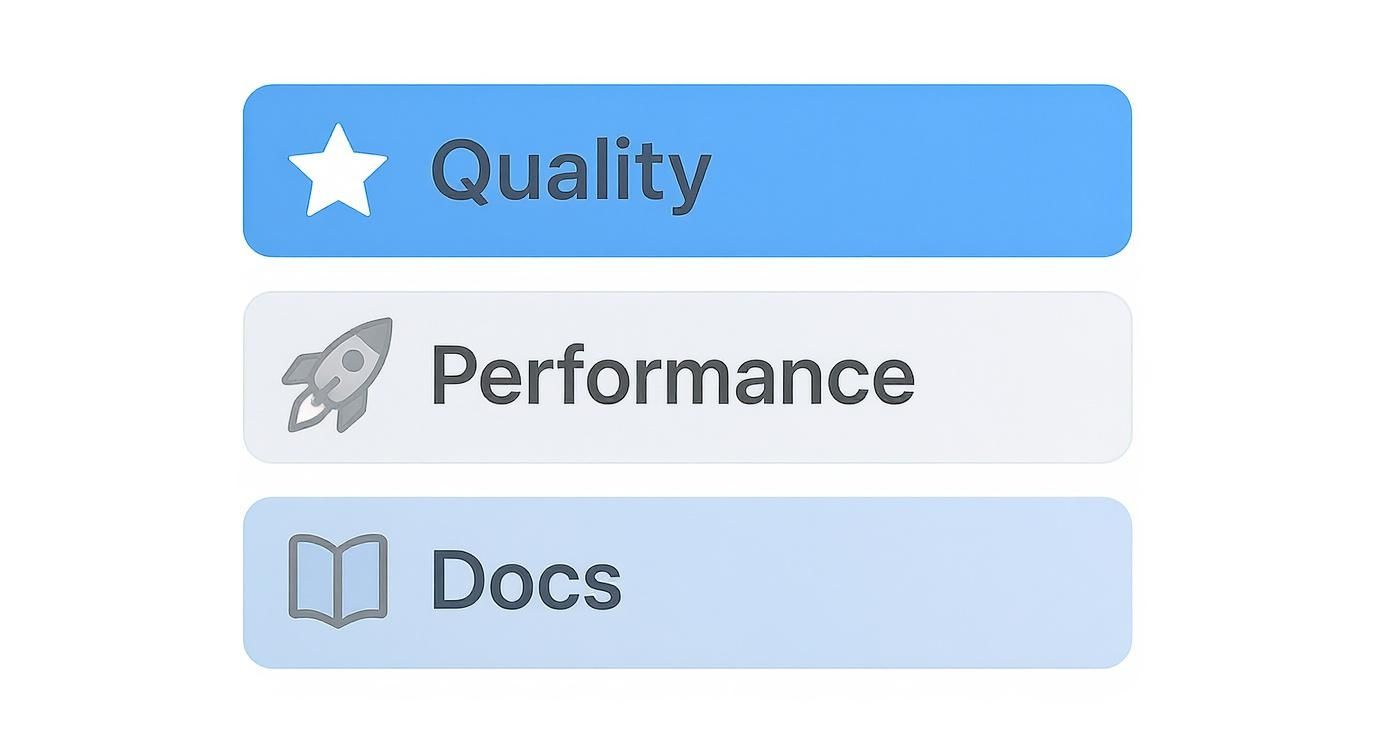
Get these three right, and you've found a library that will accelerate your work instead of getting in the way.
If your design spec calls for a pixel-perfect implementation of Google's Material Design, look no further than React Native Paper. It stands out for its unwavering commitment to Material You guidelines, making it the most direct route to that specific look and feel.
Developed by Callstack—a major player in the React Native world—Paper delivers a complete suite of production-ready components. Its theming system is solid, offering light and dark modes right out of the box and a simple API for tweaking the theme with your brand's colors. For teams that want an opinionated, consistent design system, Paper eliminates a ton of small decisions and lets you move faster.
With React Native Paper, you're not just grabbing components; you're adopting a mature and well-defined design language. It's perfect for teams that need to enforce consistency and ship quickly without getting bogged down in custom styling.
But that strict adherence is also its biggest drawback. If your design strays too far from Material standards, you’ll find yourself fighting against the library's core styles. Customization is definitely possible, but it can feel like you're swimming upstream. It's a fantastic choice, but only if you're all-in on the Material Design philosophy.
React Native Elements takes a completely different route. As one of the original and more battle-tested libraries, it offers a collection of general-purpose, unopinionated components. Think of it less as a rigid design system and more as a flexible box of UI Legos.
This library puts you in the driver's seat when it comes to customization. Instead of forcing a specific design language, it provides foundational components that you can easily style to fit any brand identity. The developer experience is refreshingly direct, using a mix of custom props and standard React Native style props that are easy to pick up.
Theming is managed with a ThemeProvider, but unlike Paper, you build your themes from the ground up. This freedom is its greatest asset—you’re never boxed into a particular aesthetic. That makes it a solid contender for MVPs or projects where unique, custom styling is a bigger priority than following a formal design system.
NativeBase has been a long-time favorite for its massive component library and deep customization options. Its modern successor, gluestack-ui, fully embraces a utility-first, hook-based styling architecture. This approach gives you fine-grained control over every single aspect of a component's look and feel.
The core concept here is composability. You get a huge set of pre-built components, but you also get the primitive building blocks to create your own complex, fully accessible components from the ground up. This makes it an outstanding choice for large-scale enterprise apps that need a truly bespoke and scalable design system.
All that power comes with a steeper learning curve, though. The vast API and utility-first mindset require more upfront investment from developers compared to a library like React Native Elements. The evolution from NativeBase to the more modular gluestack-ui is part of a larger trend toward unstyled, "headless" components that offer maximum flexibility.
UI Kitten is built around the Eva Design System, which puts a huge emphasis on theming and branding. Its killer feature is the ability to generate an entire design system theme from just a few of your primary brand colors. This makes it incredibly easy to maintain visual consistency across your whole app, including seamless switching between light and dark modes.
The library comes with over 40 high-quality components and—importantly for global apps—has first-class support for right-to-left (RTL) languages. It finds a great sweet spot between being opinionated enough to keep things consistent and flexible enough to let your brand shine through.
For any project where robust, dynamic theming is a non-negotiable requirement, UI Kitten is a top-tier choice. It handles much of the complexity of managing design tokens, freeing you up to focus on building features.
Tamagui is much more than just a UI library; it's a cross-platform UI toolkit paired with an optimizing compiler designed for raw performance. It works its magic by flattening the component tree at build time and generating atomic CSS, which drastically cuts down on runtime overhead. This makes it a go-to for performance-critical apps that need to feel incredibly responsive on both mobile and the web.
It enables you to write code once that runs efficiently everywhere, a massive win for teams targeting both React Native and web. While it does provide a nice set of UI components, its true power is the styling and optimization engine running under the hood.
Tamagui’s compiler-driven approach is a game-changer for performance. By moving styling logic from runtime to build-time, it creates highly optimized output that simply runs faster, especially on the web.
The trade-off is complexity. Getting Tamagui’s compiler and unique architecture set up correctly requires a dedicated effort. It's an incredibly powerful tool for teams who need its specific performance benefits, but it might be overkill for simpler apps where runtime performance isn't the primary concern.
To help you see how these libraries stack up at a glance, here’s a breakdown of their core philosophies and features. This table should make it clearer which one might align best with your project’s needs.
| Library | Design Philosophy | Customization Level | Performance Focus | Expo Compatibility | TypeScript Support |
|---|---|---|---|---|---|
| React Native Paper | Strict Material Design | Medium (Theme-based) | Good | Excellent | Excellent |
| React Native Elements | Unopinionated toolkit | High (Prop-based) | Good | Excellent | Excellent |
| gluestack-ui | Headless, utility-first | Very High | Very Good | Excellent | Excellent |
| UI Kitten | Theme-driven | High (Theme-based) | Good | Excellent | Excellent |
| Tamagui | Compiler-optimized | Very High | Excellent | Excellent | Excellent |
Ultimately, the choice comes down to what you're building. If you need a strict, ready-made system, Paper is your answer. If you need ultimate flexibility for a bespoke design, gluestack-ui or Tamagui are built for you. For something in between, Elements and UI Kitten offer fantastic, balanced approaches.
The community and ecosystem around these libraries are thriving. The React Native ecosystem boasts over 520,000 repository results on GitHub as of late 2024, showing its strong and competitive position. Libraries like React Native Elements and React Native Paper, with millions of downloads, reflect deep community trust and involvement. Learn more by exploring the comparison between React Native and Flutter ecosystems.
Knowing the features of each UI library is one thing, but figuring out which one to actually use on a real project is a whole other ball game. There's no single "best" React Native UI library—the right choice is always the one that fits your project's specific needs, timeline, and long-term vision. Let's get practical and map these tools to common development scenarios.
This decision is more important than you might think. React Native's versatility is a huge part of its appeal, with an enterprise adoption rate hovering around 45% and a massive 72% of its users being small businesses. This huge range means a library that's perfect for a startup's MVP could be a disaster for a large corporation's flagship app. You can find more stats on React Native's market adoption over at netguru.com.
When your number one goal is to get an idea out the door and into users' hands as fast as humanly possible, your priorities shift. You need speed, simplicity, and a library you can pick up in an afternoon. In this high-stakes race, deep customization can actually slow you down.
This is where React Native Elements shines. Its straightforward, prop-based styling is a breeze for developers at any skill level. You're not wrestling with a complex theming system; you're just applying styles directly to components. This approach dramatically cuts down development time and lets your team focus on building the features that matter. It gives you just enough structure to get going without getting in your way.
Building for a large enterprise brings a completely different set of challenges. These projects demand a bulletproof, scalable, and highly maintainable design system that can be enforced across dozens of developers and hundreds of screens. Consistency isn't a "nice-to-have"—it's a requirement, right alongside accessibility and long-term support.
gluestack-ui was built for this. Coming from the team behind NativeBase, it offers a headless, utility-first architecture that gives you absolute control. This approach lets you build a truly bespoke design system from the ground up, ensuring every single component is a perfect reflection of your brand.
The real power of a library like gluestack-ui is its composability. It doesn't just give you components; it gives you the building blocks to construct a design system that is visually consistent, structurally sound, and ready to scale for years to come.
Sure, there's an initial learning curve with its utility-first mindset, but that investment pays off big time, resulting in a cleaner and more maintainable codebase for complex applications.
What if your app absolutely has to feel buttery-smooth on mobile while also delivering a world-class experience on the web? When performance is your north star, you need a tool engineered for optimization from day one. This is especially true for highly interactive apps like social feeds, complex data dashboards, or anything with real-time updates.
Tamagui is the answer. Its killer feature is an optimizing compiler that does the heavy lifting at build time, not runtime. By flattening component trees and generating atomic styles, it drastically reduces the amount of work the device has to do, leading to faster load times and a snappier UI. This makes it the undisputed champion for developers who refuse to compromise on speed when targeting both React Native and the web. It's a more complex setup, no doubt, but for performance-obsessed projects, the payoff is huge.
Alright, we've covered a lot of ground. Picking the right React Native UI library isn't just about features—it's a balancing act between design philosophy, raw performance, and the day-to-day developer experience. What works for one team might be a total mismatch for another. The best choice ultimately comes down to your project's specific needs, your team's comfort zone, and where you see your app heading in the long run.

This isn't just another npm install. You're committing to a tool that will become a fundamental part of your app's architecture for a long time. It’s a decision that will ripple through everything from how quickly you can ship features to the final polish your users see and feel.
Before you commit, run your top two or three contenders through one last filter. A few honest answers here can make the right path jump out at you.
Think of a UI library as a long-term investment in your codebase. The goal is to find something that doesn't just put out today's fires but also gives you a clear and sustainable path for future growth and maintenance.
Once you’ve made the call, the next step is to integrate it methodically. You want to weave the new library into your project without blowing up your existing workflow. Thankfully, for most modern stacks, this is a pretty smooth process.
App.tsx) in some kind of theme or style provider. This is a non-negotiable step that makes the library’s theming and styles available everywhere in your app.<Button />, using the new library. This lets you get a feel for its styling and customization APIs in a low-risk environment.If you want a deeper dive into getting your project off the ground, our guide to setting up a new React Native project is a great place to start. A properly configured project makes integrating any library a whole lot easier.
When you're deep in the trenches comparing React Native UI libraries, a few key questions always seem to pop up. Let's tackle them head-on, so you can make the final call with confidence, knowing you've picked a library that truly fits your project's DNA.
These aren't just surface-level questions; they dig into the real-world trade-offs between performance, flexibility, and architecture that can make or break your app.
This is the million-dollar question, and the honest answer is: it depends. While your own code is the biggest factor, some libraries definitely have a leg up. Tamagui, for example, is a beast when it comes to performance, using some clever compile-time magic to slash runtime overhead. If you're building something that needs to be incredibly snappy on both mobile and web, it's a top contender.
That said, don't sleep on the established players. Libraries like React Native Paper and our go-to, gluestack-ui, are more than fast enough for the vast majority of apps out there. They deliver a stable, predictable, and highly performant experience right out of the box.
Technically, yes. Should you? Almost certainly not. Mixing UI libraries is a recipe for disaster. It's one of the fastest ways to end up with a messy, inconsistent user interface.
Even worse, it inflates your app's bundle size by cramming in multiple styling engines and duplicate component sets. The saner path is to pick one primary library and build out any missing pieces yourself. Your future self will thank you.
Choosing a single, comprehensive UI library is a foundational architectural decision. It creates a unified design language that accelerates development and prevents the technical debt that comes from mixing competing styling systems.
For any serious React Native project today, solid TypeScript support is non-negotiable. It's not a "nice-to-have"—it's a must-have. A library with rock-solid, accurate type definitions for its components, props, and theme is your best friend.
Why? Because it powers essential developer tools like auto-completion and compile-time error checking right in your editor. This means catching bugs before they happen, writing cleaner code, and making the entire development process way more efficient. Thankfully, all the top-tier libraries we've covered have excellent TS support.
Absolutely. The "headless" UI approach has become a huge trend in the React Native world, and for good reason. A headless library gives you all the logic and accessibility baked in—the functional component primitives—but leaves the styling completely up to you.
gluestack-ui is a fantastic example of this in action. It gives you the power to build a truly bespoke design system from scratch. Pair it with a utility-first tool like NativeWind, and you've got the ultimate combo of maximum flexibility and rock-solid functionality.
At theappmarket, we build production-ready React Native templates on a modern, performant stack so you can ship your ideas faster. Explore our templates at theappmarket.io and get a massive head start on your next project.

Dec 14, 2025
4 min read
Find the perfect React Native UI library for your project. This guide compares top libraries, selection criteria, and customization strategies.

Dec 13, 2025
4 min read
Learn how to change app name in React Native and Expo. Our guide covers display names, bundle IDs, and store listings for iOS and Android projects.

Dec 12, 2025
4 min read
Discover the best React Native component library for your next project. We compare top libraries on performance, customization, and real-world use cases.

Dec 11, 2025
4 min read
Discover how to choose the right React Native UI kit. This guide covers top kits, selection criteria, and customization to accelerate your app development.

Dec 09, 2025
4 min read
Discover a practical approach to building apps with React Native. This guide covers setup, UI, state management, and testing to help you ship great apps.

Dec 08, 2025
4 min read
android login with facebook: Learn to set up the Facebook SDK, manage tokens, and implement secure authentication across native Android, cross-platform apps.

Dec 07, 2025
4 min read
Master the alert in React Native. Learn to handle platform differences, build custom modals, and apply best practices for a seamless user experience.
Dec 06, 2025
4 min read
keyboardavoidingview react native: Master keyboard handling with KeyboardAvoidingView across iOS, Android, Expo, and TypeScript.

Dec 05, 2025
4 min read
A practical guide to implementing a React Native PDF viewer. Learn to compare libraries, handle native setup, and troubleshoot common issues with real code.

Dec 04, 2025
4 min read
how to validate startup idea: learn proven methods like customer interviews, MVPs, and metrics to confirm market fit.

Dec 03, 2025
4 min read
how to make app like uber: Learn core features, tech stack, development steps, testing, and launch tips.

Dec 02, 2025
4 min read
Build a rock-solid React Native setup. This guide covers Expo vs. Bare workflows, TypeScript, pnpm monorepos, NativeWind, and deployment strategies.

Dec 01, 2025
4 min read
A practical guide to Stripe React Native integration. Learn to set up your server, build payment UIs, handle webhooks, and launch secure mobile payments.

Nov 30, 2025
4 min read
Learn how to master push notifications in React Native. This guide covers setup, best practices, and advanced techniques for engaging your users.

Nov 29, 2025
4 min read
Build powerful location-based apps with our practical guide to react native with google maps. Get setup guides, pro tips, and best practices for iOS & Android.
Nov 28, 2025
4 min read
Explore deep linking react native with a practical guide to configuring URL schemes, universal links, navigation, and testing for Expo and bare apps.

Nov 28, 2025
4 min read
A practical guide to building a scalable React Native design system. Learn to implement tokens, theming, and tools like NativeWind and gluestack-ui.
Nov 26, 2025
4 min read
Learn why react native expo templates speed up your projects with ready-made patterns and practical tips.

Nov 25, 2025
4 min read
Discover how to improve developer productivity with actionable strategies for workflow, tooling, and culture. A practical guide for software engineering teams.

Nov 24, 2025
4 min read
Discover the best cross platform app development tools. Compare top frameworks like Flutter and React Native to build and ship apps faster.
Nov 23, 2025
4 min read
This Expo React Native tutorial provides a hands-on guide to building cross-platform apps. Learn setup, styling with NativeWind, navigation, and deployment.
Nov 22, 2025
4 min read
Build beautiful UIs faster with this guide to Tailwind CSS React Native. Learn setup, styling, and advanced techniques with NativeWind for mobile apps.

Nov 21, 2025
4 min read
Explore our curated list of 7 top-tier React Native app examples. Discover production-ready templates and resources to build your next app faster.

Mar 19, 2025
4 min read
theappmarket offers React Native UI templates to accelerate development. Get customizable, production-ready React Native app templates and Ui kit, some free. Build faster & smarter today!


